
珍藏后期教育网站
珍藏后期淘宝商店

 Premiere Pro Professional video editing for film, TV, and the web.符合行业标准的专业视频和电影编辑。
 Premiere Pro Professional video editing for film, TV, and the web.符合行业标准的专业视频和电影编辑。
由于短视频的兴起,人们碎片化的观看特点,促使视频制作的方式也有了很多新的模式。Due to the rise of short videos and people’s fragmented viewing characteristics, there are many new models in the way of video production.
卡点视频就是抖音等等短视频平台流行之后,特别受欢迎的一种剪辑形式。PR也可以完成这样的卡点视频制作,下面珍藏PRO介绍一种利用NLE非线编Premiere/PR制作快速制作卡点视频的方法:Card video is a particularly popular form of editing after the popularity of short video platforms such as Douyin. PR can also complete such stuck-point video production. The following FCP7.com introduces a method of using NLE nonlinear editing Premiere/PR to quickly make stuck-point video:
原理解析:利用PR软件的自带功能:“自动匹配序列”功能,把素材片段自动匹配到时间线上面的Mark标记点。Principle analysis: Use the built-in function of the PR software: the “auto-match sequence” function to automatically match the clips to the Mark points on the timeline.
➡️珍藏后期教程-PR卡点视频|自动剪辑
作者:珍藏后期
1.选择好一个节奏感较强的音乐,拖入时间线之中(因为我们要利用波形去打Mark点,节奏感越强,越好打点);Choose a music with a strong sense of rhythm and drag it into the timeline (because we need to use the waveform to mark points, the stronger the sense of rhythm, the better the mark);
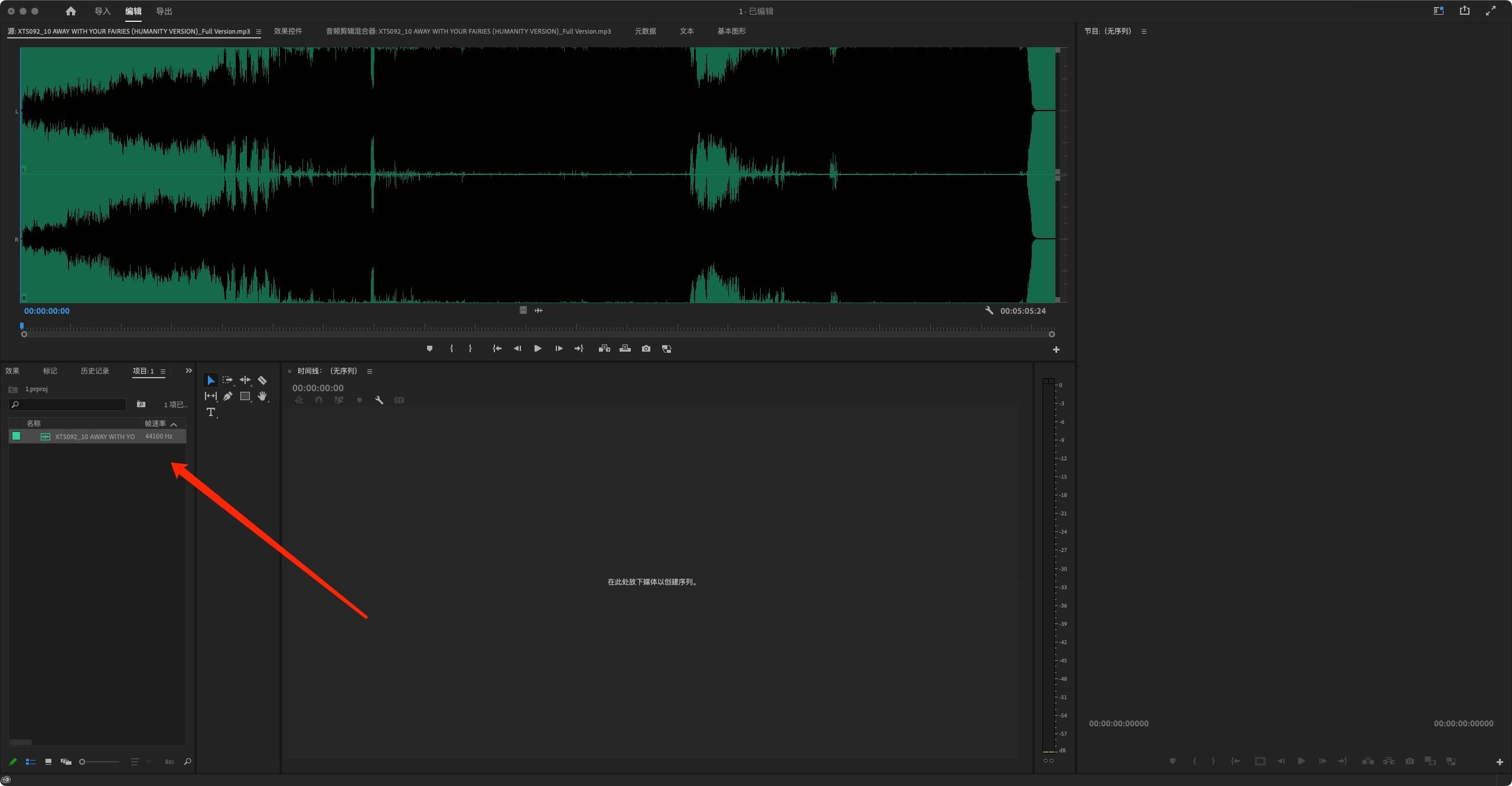
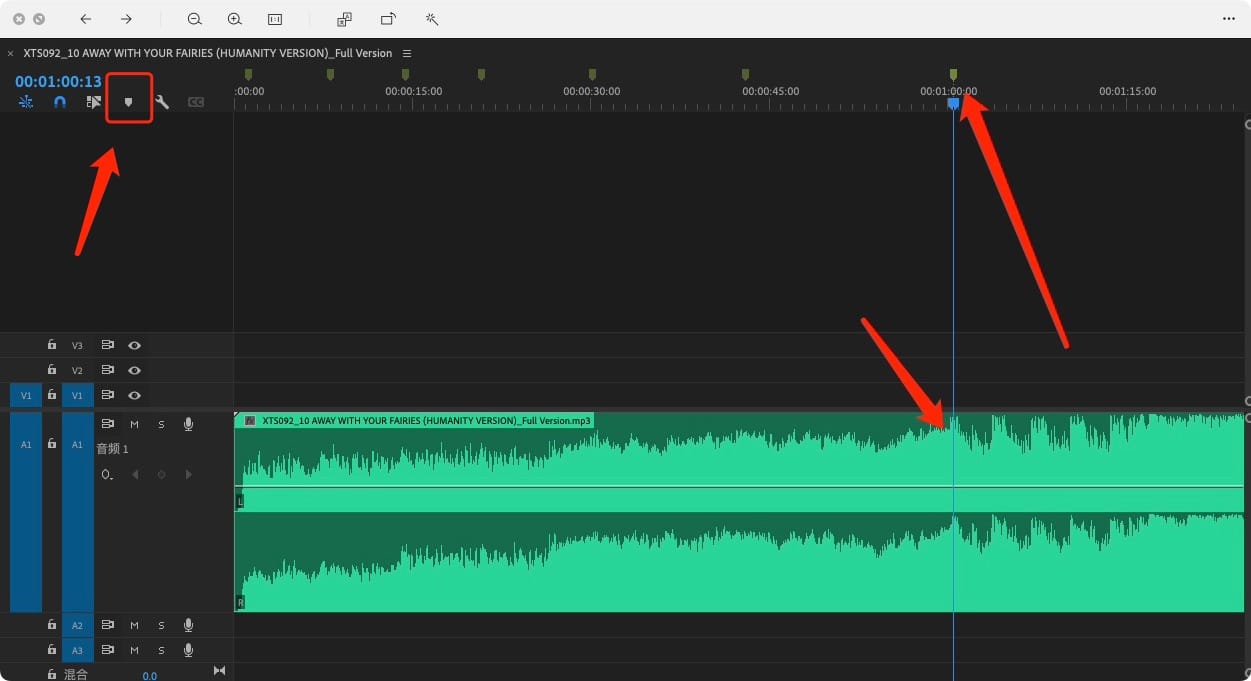
2.利用PR的Mark打点工具进行节奏打点,标记好要插入视频片段的节奏点;Use PR’s Mark marking tool to mark the rhythm and mark the rhythm points to be inserted into the video clip;
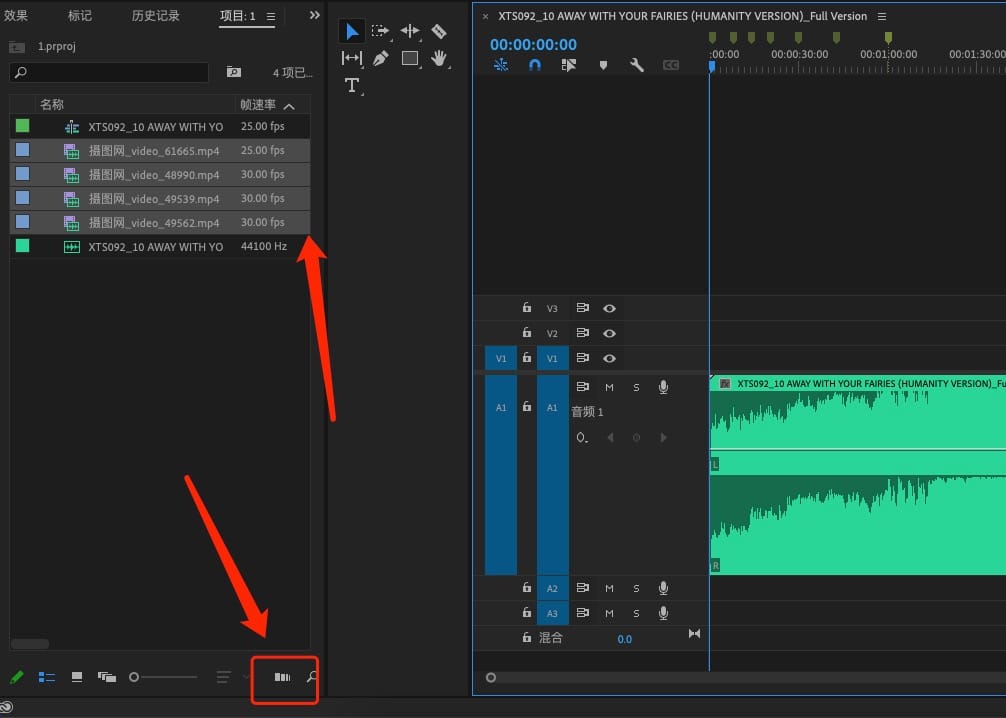
3。全选卡点剪辑的素材,然后点击PR素材面板下方这个图标“自动匹配序列”功能;Select all clips clipped by the card point, and then click the icon at the bottom of the PR material panel to “automatically match the sequence” function;
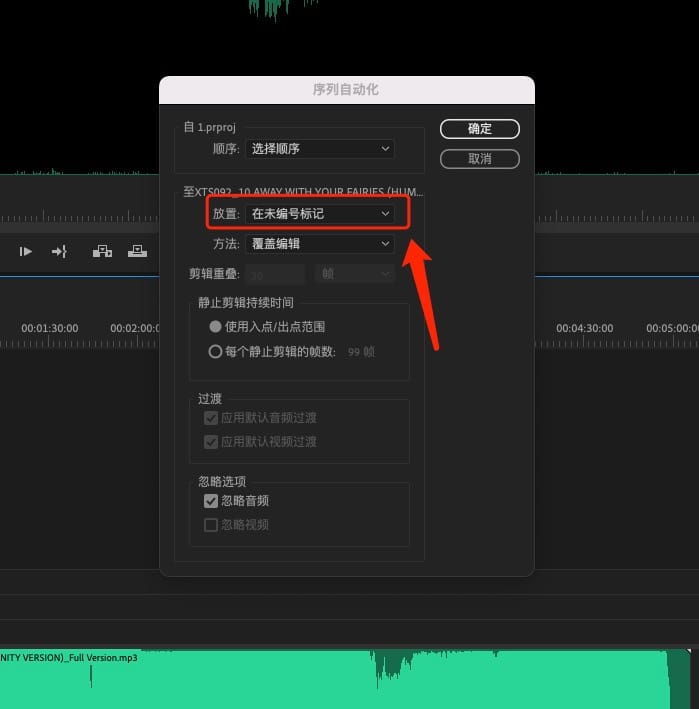
4。弹出“序列自动化”面板,“放置”处选择为“在未编号标记”,点击“确认”;此操作将素材自动导入到时间线上面的标记点上;The “Sequence Automation” panel will pop up, select “At Unnumbered Marker” for “Placement”, and click “OK”; this operation will automatically import the material to the marker point on the timeline;
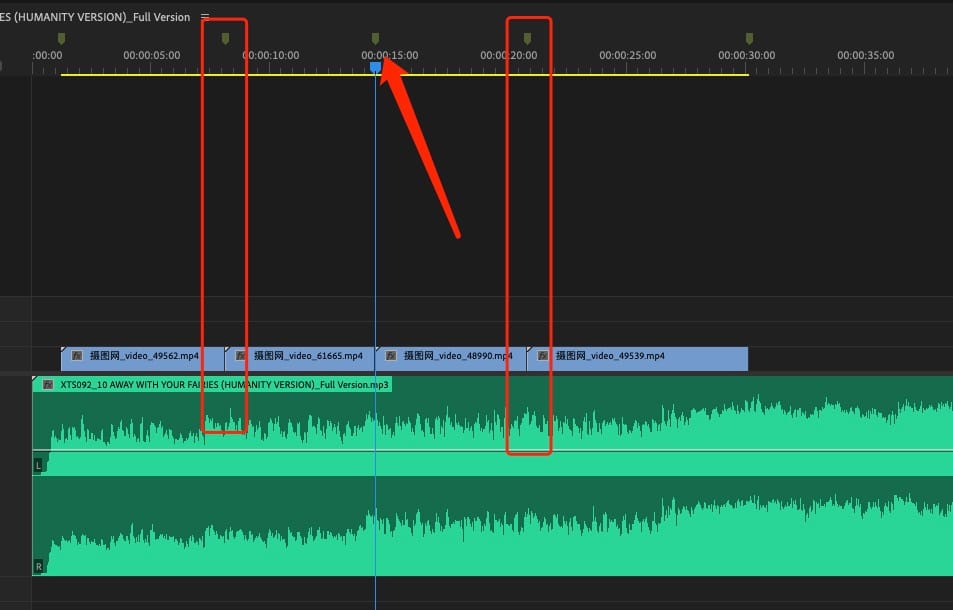
5。初步完成,然后继续精剪调整即可。Initially completed, and then continue to fine cut adjustments.
大功告成了!YES!你真的超棒!Done! You Are AWESOME!
[wshop_reward]特权会员|Member

问答社区|提问|解答

联络渠道|技术支持