Artificial intelligence has become an essential part of everyday work, software development, education, research, and digital content creation.
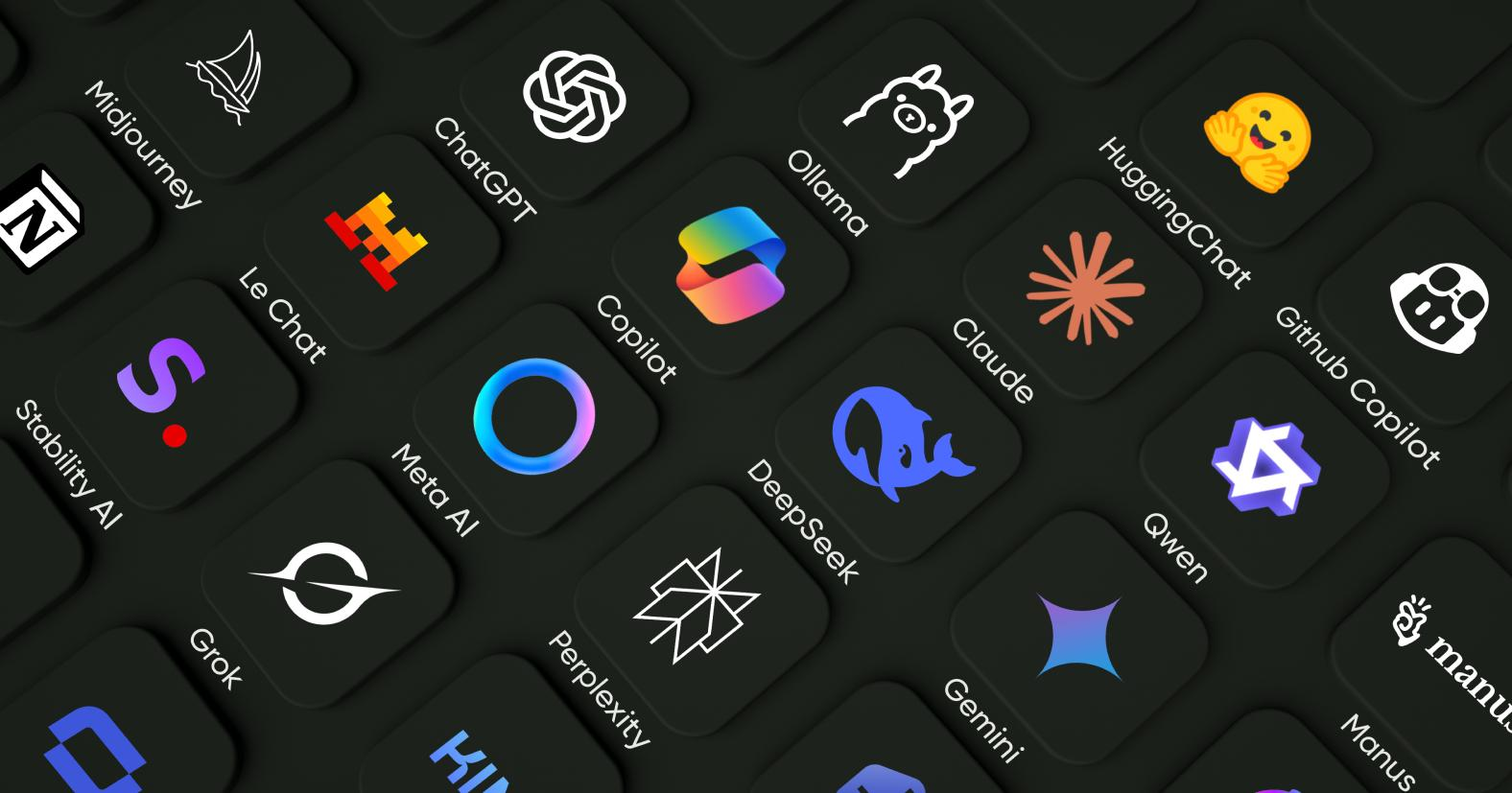
From ChatGPT and Claude to DeepSeek, Gemini, Qwen, and MiniMax, today’s AI assistants can help you write better content, analyze documents, generate code, research complex topics, and automate repetitive tasks.
However, with so many AI platforms available, choosing the right one is not always easy. Some tools focus on coding and reasoning, while others are designed for everyday productivity, research, multimedia creation, or autonomous tasks.
Finding the correct download link can also be challenging, especially when unofficial desktop applications and third-party installers appear in search results.
In this guide, we explore 10 of the best AI tools worth considering in 2026, including their official websites, download options, key features, and practical use cases.
Whether you are a developer, student, content creator, or simply looking for a reliable AI assistant, this guide will help you get started.
Last updated: November 26, 2026.
Editorial note: This guide is based on official product information and practical use cases rather than controlled performance benchmarks. Features, pricing, availability, and system requirements may change.
1. Best AI Tools in 2026: Quick Comparison
If you are looking for official AI websites and application downloads, the following table provides a quick overview.
| AI Tool | Best For | Official Website | Official Download |
|---|---|---|---|
| ChatGPT | General productivity, coding, research | ChatGPT | Download |
| Claude | Writing, document analysis, coding | Claude | Download |
| DeepSeek | Reasoning, programming, local AI | DeepSeek Chat | Download |
| Gemini | Multimodal AI and Google services | Gemini | Via official website |
| MiniMax | AI agents, coding, multimedia | MiniMax Code | Via product website |
| Doubao | Chinese-language productivity | Doubao | Via official website |
| Qwen | General AI and open-weight models | Qwen Chat | Via official website |
| Kimi | Research, documents, coding | Kimi | Via official website |
| Tencent Yuanbao | Chinese-language research | Yuanbao | Official Download Center |
| Grok | Current information and research | Grok | Official Apps |
Most users can start with the browser-based version before installing a desktop or mobile application.
International availability, supported languages, account registration requirements, and download options vary between platforms.
2. ChatGPT — Best All-Round AI Assistant
Developed by OpenAI, ChatGPT is one of the most widely recognized general-purpose AI assistants.
Its broad range of capabilities makes it a practical starting point for users who want a single AI platform for multiple tasks.
Key use cases
- Writing and editing content
- Software development and debugging
- Document and spreadsheet analysis
- Research and brainstorming
- Image generation and understanding
- Learning and problem-solving
- Automating professional workflows
ChatGPT is particularly useful when a task requires several rounds of discussion, refinement, and revision.
For example, a developer can use it to outline a software project, discuss architecture, generate code, identify potential errors, and prepare documentation.
Content creators can use it to research topics, organize scripts, develop creative concepts, and improve existing articles.
Official website and download
- Official website: https://chatgpt.com/
- Official download: https://chatgpt.com/download/
- Developer documentation: https://developers.openai.com/
ChatGPT offers desktop and mobile applications. Visit the official download page to check compatibility with your operating system.
Best for: Students, professionals, developers, content creators, and general users.
3. Claude — Best for Writing, Documents, and Code Analysis
Claude, developed by Anthropic, is a strong candidate for users who frequently work with complex documents, software projects, and structured written content.
Rather than starting with a completely new document, you can provide existing material and ask Claude to reorganize, improve, or analyze it.
Key use cases
- Long-form writing
- Technical documentation
- Document summarization
- Code explanation and refactoring
- Software architecture discussions
- Research and structured analysis
Developers can also explore Claude Code, a separate coding experience designed to work with development environments and software projects.
Claude’s desktop and mobile applications provide additional ways to access the platform.
Official website and download
- Official website: https://claude.ai/
- Official download: https://claude.com/download
- Developer documentation: https://docs.anthropic.com/
The official download page provides installation options for supported desktop and mobile platforms.
Best for: Developers, technical writers, researchers, and professionals handling complex documents.
4. DeepSeek — Best for Reasoning and Open-Weight AI
DeepSeek has become an important part of the global AI ecosystem, particularly among developers and users interested in reasoning models and locally deployable AI.
Unlike AI platforms focused exclusively on consumer chat applications, DeepSeek also provides developer-oriented resources and downloadable model weights for selected models.
Key use cases
- Mathematics and logical reasoning
- Programming assistance
- Technical problem-solving
- Research and experimentation
- API-based applications
- Local AI deployment
DeepSeek is especially interesting for developers who want to experiment with AI beyond conventional cloud-based chat interfaces.
DeepSeek Chat vs. DeepSeek Harness
DeepSeek users should distinguish between its online chat assistant, mobile application, desktop products, and downloadable AI models.
DeepSeek’s official download page also lists DeepSeek Harness, a desktop-oriented product.
Downloading a desktop AI application does not necessarily mean the underlying language model runs entirely offline. Check the product documentation before choosing a deployment method.
Official website and download
- Official website: https://www.deepseek.com/
- Online assistant: https://chat.deepseek.com/
- Official download: https://www.deepseek.com/en/download/
- GitHub: https://github.com/deepseek-ai
Best for: Developers, students, researchers, and open-weight AI enthusiasts.
5. Google Gemini — Best for Multimodal AI and Google Users
Gemini is Google’s AI assistant, designed to work with multiple types of information, including text, images, documents, and other supported media.
It is a natural option for people who already use Google’s ecosystem for work, education, or personal productivity.
Key use cases
- Multimodal information analysis
- Research and learning
- Writing and summarization
- Image understanding
- Coding assistance
- Google ecosystem integration
Developers can explore Google AI Studio to experiment with Gemini models and learn how to integrate AI capabilities into their applications.
Official website and download
- Official website: https://gemini.google.com/
- Google AI Studio: https://aistudio.google.com/
- Developer documentation: https://ai.google.dev/
Use Google’s official product pages to find available installation options for your device.
Best for: Google users, students, researchers, and multimodal application developers.
6. MiniMax — Best for AI Agents and Multimedia Workflows
MiniMax is an AI technology company offering language models, speech technology, multimedia capabilities, and agent-oriented applications.
Its ecosystem is worth exploring if your interests go beyond traditional text-based AI assistants.
Key use cases
- AI agent workflows
- Coding assistance
- Multi-step task execution
- Speech generation
- Creative content production
- AI-powered automation
MiniMax Code provides an entry point for exploring more task-oriented AI workflows.
It is important to distinguish between MiniMax as a company, its individual AI models, consumer applications, and developer services. Each may have different capabilities and access requirements.
Official website and download
- Official website: https://www.minimax.io/
- MiniMax Code: https://agent.minimax.io/
Visit the relevant official product page for available download options.
Best for: AI developers, automation enthusiasts, and digital content creators.
7. Doubao — Best for Chinese-Language Productivity
Doubao is an AI assistant developed by ByteDance.
It is primarily oriented toward Chinese-language users and can be useful for everyday writing, learning, information organization, and creative tasks.
For international users interested in China’s AI ecosystem, Doubao provides an opportunity to explore AI products designed primarily for the Chinese market.
Key use cases
- Chinese-language writing
- Translation assistance
- Everyday questions
- Content brainstorming
- Educational support
- Office productivity
English-speaking users should be aware that account registration, interface languages, and application availability may differ depending on their location.
Official website and download
- Official website: https://www.doubao.com/
Use the official website to locate supported desktop or mobile applications.
Best for: Chinese-speaking users, language learners, and people researching Chinese AI platforms.
8. Qwen — Best for Open-Weight AI and Local Deployment
Qwen is an AI model family developed by Alibaba, with both consumer-facing applications and developer-oriented model resources.
For international users, Qwen Chat provides a convenient starting point without requiring local model installation.
For developers, selected Qwen models can also be deployed through compatible local inference tools.
Key use cases
- Multilingual AI assistance
- Programming and technical research
- Document analysis
- Local language model deployment
- AI application development
- Custom knowledge assistants
Qwen’s model ecosystem makes it particularly interesting for users exploring open-weight AI, self-hosted applications, and alternatives to proprietary cloud services.
Official website and download
- International AI assistant: https://chat.qwen.ai/
- Chinese AI assistant: https://www.qianwen.com/
- GitHub: https://github.com/QwenLM
- Model repository: https://huggingface.co/Qwen
Before downloading a model, check its license, hardware requirements, supported inference engines, and intended use cases.
Best for: Developers, local AI enthusiasts, multilingual users, and researchers.
9. Kimi — Best for Document Research and Knowledge Work
Kimi is an AI assistant developed by Moonshot AI.
It is worth considering for users who regularly work with lengthy documents, technical materials, research questions, and programming tasks.
Key use cases
- PDF and document analysis
- Research assistance
- Information extraction
- Coding support
- Structured summaries
- Knowledge organization
When working with complex documents, try asking Kimi to identify key findings, extract relevant evidence, and distinguish confirmed information from assumptions.
This approach is generally more useful than requesting a simple document summary.
Official website and download
- Official website: https://www.kimi.com/
- Model repository: https://huggingface.co/moonshotai
Visit Kimi’s official website for available applications and developer services.
Best for: Students, researchers, analysts, developers, and knowledge workers.
10. Tencent Yuanbao — Best for Chinese-Language Research
Tencent Yuanbao is a general-purpose AI assistant developed by Tencent.
Its primary appeal is to users working with Chinese-language information, documents, and everyday productivity tasks.
International users researching the Chinese internet may also find it useful as an additional tool for understanding Chinese-language materials.
Key use cases
- Chinese-language information research
- Document summarization
- Educational assistance
- Content creation
- Everyday productivity
- Knowledge management
As with other regionally focused AI products, international users should check registration requirements and service availability before downloading the application.
Official website and download
- Official website: https://yuanbao.tencent.com/
The official website provides access to its Download Center.
Best for: Chinese-speaking professionals, students, and researchers.
11. Grok — Best for Current Information and Social Media Research
Grok is an AI assistant with features oriented toward current information, web research, social media discussions, and general-purpose tasks.
Its integration with X makes it particularly interesting for users who follow technology news, emerging trends, and online conversations.
Key use cases
- Current events research
- Social media information analysis
- Technology trend discovery
- General writing and brainstorming
- Coding assistance
- Creative tasks
However, access to current information does not guarantee accuracy.
When using Grok for research, it is important to verify original sources, publication dates, and important factual claims.
Official website and download
- Official website: https://grok.com/
- Official product and app page: https://x.ai/grok
- Developer documentation: https://docs.x.ai/
Official mobile application links are available through the product website.
Best for: Researchers, technology enthusiasts, content creators, and social media users.
12. Which AI Tool Should You Choose?
There is no single AI assistant that is best for every task.
A practical approach is to select tools based on your actual workflow rather than model rankings or marketing claims.
| Your Primary Goal | AI Tools to Consider |
|---|---|
| Everyday productivity | ChatGPT, Claude, Gemini |
| Software development | ChatGPT, Claude, DeepSeek, Qwen |
| Document analysis | Claude, Kimi, ChatGPT |
| Logical reasoning | DeepSeek, ChatGPT, Qwen |
| Local AI deployment | Selected Qwen and DeepSeek models |
| Multimodal tasks | Gemini, ChatGPT, MiniMax |
| AI agents and automation | MiniMax, ChatGPT, Claude |
| Chinese-language productivity | Doubao, Qwen, Yuanbao, Kimi |
| Current information research | Grok, Gemini, ChatGPT |
Rather than subscribing to several AI platforms immediately, start with one primary assistant and one alternative.
Use the same real-world task to compare their output quality, response time, ease of use, and cost.
13. Are AI Tools Free to Use?
Many popular AI assistants provide free access, limited free usage, or trial options.
However, free access does not necessarily include every available feature.
Depending on the platform, paid subscriptions may provide higher usage limits, access to more capable models, advanced research tools, additional file-processing features, or expanded automation capabilities.
It is also important to distinguish between three different pricing models.
| Access Type | How It Works |
|---|---|
| Free AI assistant | Basic or limited access to an online service |
| Paid subscription | Recurring payment for additional features or usage |
| Developer API | Usage-based or separately contracted model access |
A consumer subscription does not automatically include developer API credits.
If you are building your own AI-powered application, check the provider’s API pricing and usage policies separately.
14. AI Desktop Apps vs. Local AI Models
One of the most common misunderstandings about AI software is the difference between installing an AI application and running a model locally.
These are not necessarily the same thing.
| Feature | Cloud AI Desktop App | Local AI Model |
|---|---|---|
| Model location | Usually on remote servers | On your computer or server |
| Internet connection | Usually required | Offline use may be possible |
| Hardware requirements | Generally lower | Depends on the model |
| Storage requirements | Usually smaller | Can require several gigabytes or more |
| Data control | Depends on the provider | Greater local control is possible |
| Setup difficulty | Usually simple | Requires additional configuration |
If you want to run an AI model locally, you may need a dedicated inference application.
Popular options include:
- Ollama — Run compatible language models locally.
- LM Studio — A graphical interface for local AI models.
- Hugging Face — Discover downloadable AI models and datasets.
- ModelScope — Explore models, datasets, and AI development resources.
Local AI can be useful for offline workflows, privacy-conscious applications, and experimentation.
However, it also requires sufficient memory, storage, compatible software, and appropriate model licensing.
15. How to Download AI Tools Safely
As AI applications become more popular, unofficial installers, misleading download websites, and imitation applications are also becoming a concern.
Before downloading any AI software, follow these basic precautions:
- Visit the official product website.
- Use the official download page or verified app store listing.
- Check the publisher or developer name.
- Confirm your operating system and processor compatibility.
- Avoid cracked or modified AI application installers.
- Review the application’s requested permissions.
- Never enter API keys into untrusted third-party software.
- Keep your applications updated.
For macOS users, check whether the application supports Apple Silicon or Intel-based Macs.
Windows users should also distinguish between x64 and ARM64 installers where applicable.
If an official desktop application is unavailable for your operating system, the browser-based version may be the simplest alternative.
16. How to Get Better Results from AI Tools
Choosing the right AI assistant is only part of the process.
The quality of your instructions often has a significant impact on the usefulness of the results.
Instead of asking:
“Write an article about AI.”
Try providing more specific instructions:
“Write a beginner-friendly guide explaining the differences between cloud-based AI assistants and local language models. Include practical examples for Windows and macOS users, a comparison table, and a short FAQ. Avoid unsupported performance claims.”
A useful AI prompt generally includes:
- Context: What background information should the assistant know?
- Goal: What exactly are you trying to accomplish?
- Requirements: What constraints must be followed?
- Output format: How should the answer be structured?
- Verification: What information needs to be checked?
This approach works across most general-purpose AI assistants and can help improve productivity without requiring additional software.
17. Frequently Asked Questions
What is the best AI tool in 2026?
There is no universal winner. ChatGPT is a versatile general-purpose option, while Claude, DeepSeek, Gemini, Qwen, and other assistants may be more suitable for particular tasks.
What are the best free AI tools?
ChatGPT, Claude, DeepSeek, Gemini, and Qwen are useful starting points when exploring free AI access. Check their current plans and usage limits before choosing.
Can I download ChatGPT for Windows and Mac?
ChatGPT provides official desktop download options. Visit https://chatgpt.com/download/ to check current compatibility and installation requirements.
Does Claude have an official desktop application?
Yes. Anthropic provides official Claude desktop download options. Visit https://claude.com/download for supported operating systems.
Does DeepSeek have a desktop application?
DeepSeek’s official download page lists DeepSeek Harness for desktop. It also provides access to its official AI assistant. These products should not be confused with locally downloaded model weights.
Can AI tools work without the internet?
Most cloud-based AI assistants require an internet connection. Offline AI is possible with compatible local models and inference software.
What are the best Chinese AI tools for international users?
DeepSeek, Qwen, Kimi, and MiniMax are worth exploring. Doubao and Tencent Yuanbao may also be useful, particularly for Chinese-language tasks.
Availability and account requirements vary by region.
Is it safe to download AI tools from third-party websites?
Official websites and verified application stores are generally safer sources. Avoid unknown installers, unofficial modified applications, and websites requesting unnecessary personal information.
Do I need a powerful computer to use AI?
Cloud-based AI assistants usually do not require powerful hardware because model inference takes place remotely.
Running AI models locally, however, may require substantial RAM, GPU memory, storage, or processing power.
Can AI-generated information always be trusted?
No. AI assistants can produce inaccurate or misleading information. Verify important claims, technical instructions, citations, and generated code before relying on them.
Final Thoughts
The AI ecosystem in 2026 offers a wide range of options for productivity, software development, research, creative work, and automation.
ChatGPT, Claude, DeepSeek, and Gemini are useful starting points for general AI tasks. Qwen, Kimi, MiniMax, and other emerging AI platforms provide additional opportunities for developers and users interested in different model ecosystems.
You do not need to install every AI application or subscribe to multiple services.
Start with a tool that solves a real problem, explore its capabilities, and gradually build an AI workflow that fits your needs.
The best AI tool is ultimately the one that helps you work more effectively, not simply the one with the most features.
About FreeVaults
FreeVaults is an independent digital resource website dedicated to discovering useful software, AI tools, open-source projects, and practical technology guides from around the world.
Our goal is to help users discover reliable tools, find official download sources, and build better digital workflows.
Explore more resources at FreeVaults.com.
Chinese version: 主流 AI 工具大全:ChatGPT、Claude、DeepSeek、MiniMax 官网与下载指南
Disclaimer: FreeVaults is an independent resource website and is not affiliated with the AI companies mentioned in this article. Product names and trademarks belong to their respective owners. Always refer to official websites for current product information, pricing, and download availability.