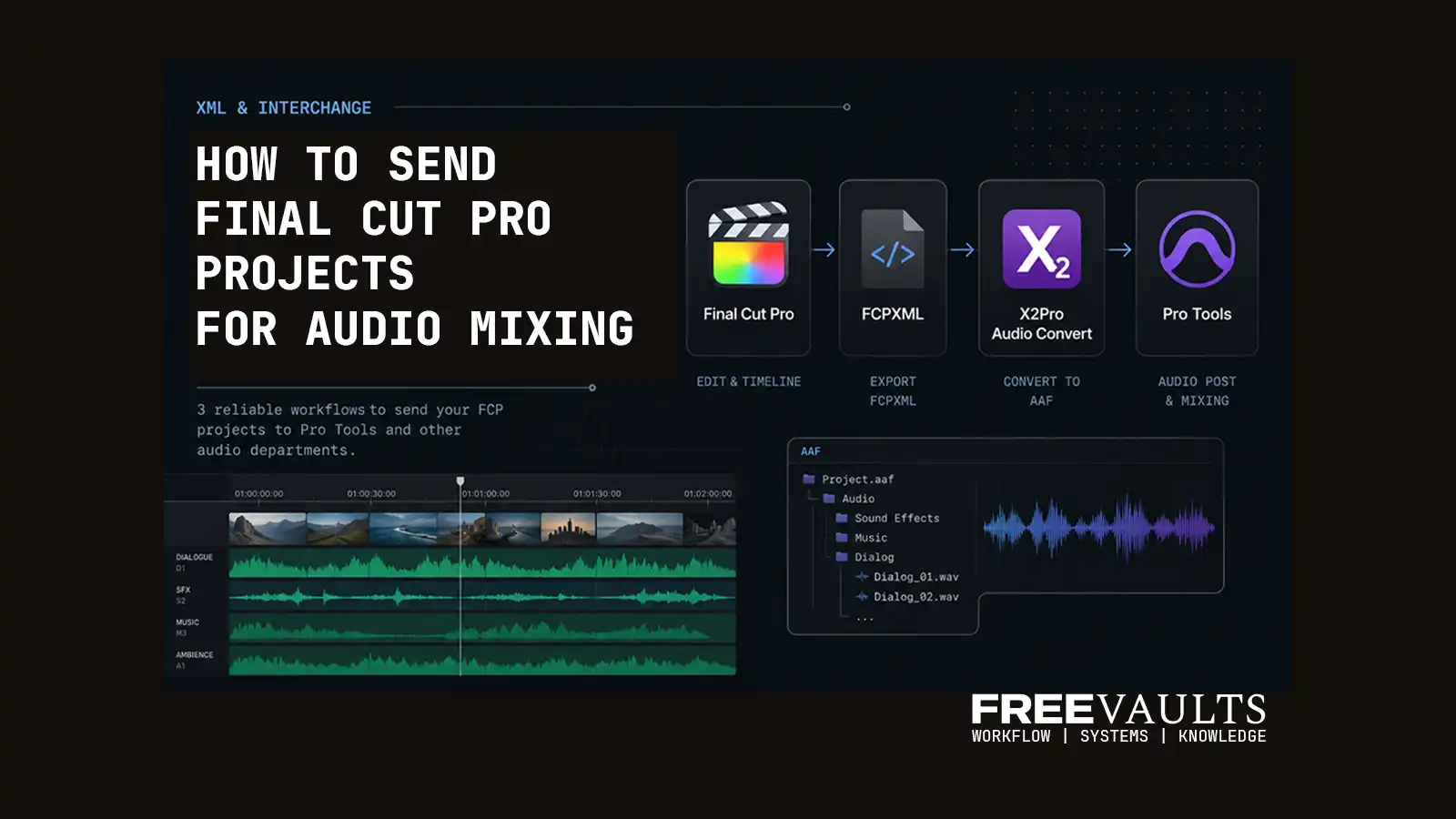

How to Export Audio from Final Cut Pro for Professional Mixing
One of the long-standing workflow limitations of Final Cut Pro is the lack of direct support for professional audio interchange formats like OMF (Open Media Framework) and AAF (Advanced Authoring Format).
In professional post-production environments, OMF and AAF are commonly used to transfer editing timelines and audio data between video editors and audio departments. These formats allow sound designers and mixing engineers to continue working in dedicated DAWs such as Avid Pro Tools.
Unlike Adobe Premiere Pro or Avid Media Composer, Final Cut Pro does not natively export OMF or AAF files. This creates an additional workflow step for editors who need to send projects to audio engineers for dialogue cleanup, sound design, or final mixing.
Over the years, several workaround workflows have emerged. Some are more reliable than others.
This guide breaks down three practical ways to send Final Cut Pro projects to professional audio workflows.
Why Audio Interchange Matters
In real-world post-production, editors often need to hand projects off to:
- dialogue editors
- sound designers
- mixing engineers
- mastering studios
These teams typically work inside:
- Avid Pro Tools
- Logic Pro
- Nuendo
- Fairlight
- Reaper
AAF and OMF files preserve:
- clip timing
- track layout
- edit points
- media references
- timeline structure
Without proper interchange support, audio handoff becomes significantly more complicated.
Method 1 — Sending Final Cut Pro Projects to Logic Pro
Final Cut Pro can directly send projects to Logic Pro using Apple’s built-in workflow.
On paper, this is the simplest solution.
However, in real-world testing, the workflow is often unreliable for larger or more complex projects.
Common Problems
During testing, several issues appeared repeatedly:
- multi-track audio separation inconsistencies
- audio clips shifting position on the timeline
- missing audio track assignments
- timeline translation bugs
- unreliable handling of compound clips
While this workflow may work for smaller projects, it is generally not recommended for professional delivery pipelines.
Especially when working with:
- documentaries
- long-form projects
- multi-track dialogue
- complex timelines
Method 2 — Using Premiere Pro to Export OMF / AAF
A more flexible workaround is using Adobe Premiere Pro as a bridge.
The workflow looks like this:
- Export FCPXML from Final Cut Pro
- Convert FCPXML using XtoCC
- Import the converted XML into Premiere Pro
- Relink media if necessary
- Export OMF or AAF from Premiere Pro
This method works because Premiere Pro supports professional audio interchange formats directly.
Advantages
- supports OMF and AAF export
- flexible for mixed software environments
- useful for editors already using Premiere workflows
Drawbacks
The process can become cumbersome.
Because Final Cut Pro and Premiere Pro use fundamentally different timeline structures, translation issues may appear:
- missing effects
- timeline inconsistencies
- relinking problems
- media interpretation errors
Large or complicated projects may require manual cleanup after import.
Method 3 — Using X2Pro Audio Convert (Recommended)
For most professional Final Cut Pro workflows, X2Pro Audio Convert remains the most efficient solution.
The workflow is straightforward:
- Export FCPXML from Final Cut Pro
- Import the FCPXML into X2Pro Audio Convert
- Generate an AAF package
- Send the AAF to Pro Tools or the audio department
Unlike bridge workflows, X2Pro is specifically designed for Final Cut Pro audio interchange.
Why X2Pro Works Better
X2Pro extracts audio information directly from the FCPXML timeline and builds a production-ready AAF package.
This approach is:
- faster
- cleaner
- more reliable
- better suited for professional post-production
It also reduces the number of translation layers in the workflow.
Recommended Workflow
For professional audio handoff pipelines:
Recommended:
Final Cut Pro → X2Pro → Pro Tools
Acceptable:
Final Cut Pro → Premiere Pro → OMF / AAF
Not Recommended:
Final Cut Pro → Logic Pro (for complex productions)
Final Thoughts
Although Final Cut Pro still lacks native AAF or OMF export support, professional audio workflows are absolutely possible with the right tools.
For editors working in larger post-production environments, understanding timeline interchange workflows is becoming increasingly important.
Especially in modern creator pipelines where projects move between:
- editors
- sound teams
- localization
- AI-assisted workflows
- remote collaboration systems
Workflow reliability matters more than ever.
If your projects regularly require professional audio mixing, X2Pro Audio Convert is currently the most practical and production-friendly solution available for Final Cut Pro workflows.