
XML, EDL, AAF & OMF — A Working Editor’s Guide to Edit Interchange
By Ethan Mai — 20 years in post-production, built and ran a 70-person editorial facility.
A few years ago I had to move a finished variety-show cut out of one editing system and into another team’s pipeline for finishing. The timeline looked fine on export. On import, half the work was gone — transitions flattened, effects stripped, audio levels reset to zero. Nothing had “failed.” The formats had simply carried less than I assumed they would.
That gap — between what an editor thinks an interchange file carries and what it actually carries — is where most lost hours in collaborative post-production come from. This guide is the map I wish I’d had: what EDL, XML, AAF, and OMF each actually move between systems, where each one quietly drops your work, and which one to reach for at each handoff.
Why interchange exists, and the one distinction that explains everything
No two editing systems store a project the same way. A Premiere project file means nothing to Final Cut Pro; a Pro Tools session means nothing to DaVinci Resolve. Interchange formats are the neutral languages that let these systems hand work to each other.
There are four you’ll actually meet — EDL, XML (including FCPXML), AAF, and OMF — and the fastest way to understand all of them is one distinction:
Some formats carry editorial decisions. Others carry the media itself.
- A decision format says: “use this clip, from this timecode to this timecode, on this track.” It points at media but doesn’t contain it. Small file, no audio inside it.
- A media format says: “here is the actual audio, plus where it sits and what’s been done to it.” It packages the media along with the decisions. Large file, self-contained.
Almost every interchange surprise — the missing transitions, the offline media, the reset levels — comes from using a decision format when you needed a media format, or expecting one to carry something it was never built to hold. Keep that split in mind and the rest of this guide falls into place.
EDL — the oldest common language
The Edit Decision List predates every NLE on your machine. It’s a plain-text list of cuts: clip name, source timecode in and out, where it lands on the record timeline. That’s almost all it holds.
What it carries: cut points, basic transitions (often just cuts and dissolves), reel/source references.
What it does not: effects, multiple tracks in any rich way, titles, keyframes, anything modern.
Where it still earns its place today: color round-trips and legacy or broadcast workflows where a colorist or an older system needs only the cut decisions, not your effects. Its very simplicity is why it survives — there’s almost nothing in it to break.
Its hard limit: an EDL describes a single video track’s cuts cleanly and not much else. The moment your sequence has real layering, effects, or audio complexity, the EDL silently leaves it behind.
XML / FCPXML — the modern timeline exchange
XML is where most editor-to-editor handoffs happen now. Unlike an EDL, an XML can describe a far richer timeline: multiple tracks, effect parameters, keyframes, labels, and — importantly for subtitle and localization work — captions and roles.
Two things confuse people here, so it’s worth being precise:
- “XML” is not one format. Legacy Premiere/FCP7-style XML and Apple’s FCPXML are different specifications. They overlap in spirit but not in detail, which is exactly why an XML that exports cleanly from one app can arrive damaged in another.
- A rich format still translates imperfectly. Because XML can describe so much, it’s also where the most partial translations happen. Native cross-dissolves and basic moves usually survive; third-party plugin effects, certain transitions, and app-specific features frequently don’t — they arrive flattened, substituted, or dropped without warning.
FCPXML in particular is deep enough to deserve its own breakdown — its structure, how it represents roles and timelines, and where it breaks. (See: FCPXML Explained → and Moving projects between Premiere, Final Cut & Resolve →. For CapCut specifically: CapCut to Premiere →.)
AAF — handing off to audio
When the cut goes to a mixer, the problem changes shape. A sound editor doesn’t just need to know where your audio sits — they often need the actual audio media, trimmed and laid out exactly as you had it, so they can work without relinking to your entire project.
That’s a media problem, not a decision problem — which is why audio handoff uses AAF, not XML.
What AAF carries: audio clips with their positions, levels, fades, and automation — and, depending on how you export, the media itself.
Embedded vs. referenced — the choice that bites people:
- Embedded AAF packages the audio media inside the file. Self-contained, larger, travels anywhere.
- Referenced AAF points to external media files. Smaller, but useless to the mixer if those files don’t travel with it — which is the single most common cause of “the AAF opened but everything’s offline.”
AAF is the modern standard for getting a cut into Pro Tools or another DAW intact. (See: Audio handoff workflows for Final Cut Pro →.)
OMF — AAF’s predecessor
OMF (Open Media Framework) is the older audio-handoff format that AAF largely replaced. You’ll still meet it, because some studios and older Pro Tools workflows standardized on it years ago and never moved.
What to know about it: like AAF, it can embed or reference audio media. Unlike AAF, it carries less automation data and — critically — has a 2 GB file-size ceiling that a feature-length or media-heavy timeline blows straight through, forcing you to split the handoff into multiple files.
The practical rule: use AAF when you have the choice. Reach for OMF only when the receiving studio specifically asks for it — usually because their established pipeline depends on it.
Which format for which handoff
This is the table to bookmark. Match the format to what the next person actually needs to receive — decisions, or media:
| Format | Carries | Best for | Where it bites |
|---|---|---|---|
| EDL | Cut decisions only | Color round-trips, legacy/broadcast | No effects, no real multitrack |
| XML / FCPXML | Rich timeline, effects, roles, captions | Editor → editor, NLE → NLE | Plugin effects & some transitions drop; FCPXML ≠ Premiere XML |
| AAF | Audio media + levels + automation | Editor → mixer (Pro Tools/DAW) | Referenced media goes offline if files don’t travel |
| OMF | Audio media + basic positions | Legacy audio pipelines | 2 GB ceiling; less automation than AAF |
The one-line version: decisions travel as EDL or XML; media travels as AAF or OMF. Get that right and most handoff disasters never happen.
How this fits a real production handoff
Over twenty years and a few hundred episodes, the handoff chain that actually ships a show settled into four moves: edit → color → mix → delivery. Here’s how I run each, and the rule each taught me.
Edit → color. Two routes, depending on the colorist. The simple one: flatten the cut to a single MOV, send a small MP4 as reference, let the colorist auto-split shots in Resolve, and drop the graded MOV back onto a track above my edit (below the graphics). The flexible one: send the original media plus an XML, so the colorist rebuilds the real project in Resolve and can pull handles on each shot. Either way, the lesson that cost me once: strip your transitions and “effect” cuts — flash frames, dissolves — before you send to color. They can’t survive the round-trip cleanly. I duplicate the track, send clean, and add those effects back onto the graded clips at the same cut points when it returns. (Full breakdown: Edit → color round-trips →.)
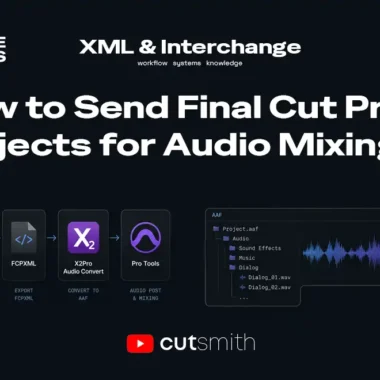
Edit → mix. This is where the format history shows. Back on Final Cut Pro 7 (~2014), my assistant would lay the audio out in strict order — voice on top, then music, then SFX — and export OMF to Pro Tools, minding the 2 GB ceiling. Final Cut Pro X can’t export AAF directly, so it’s either XML through X2Pro (the industry-standard route — and watch its sandbox: every asset in the project has to be online, not just the timeline) or a free detour through Resolve (less stable). Premiere exports AAF directly. Whatever the path, the mixer sends back a Mix.wav plus split voice/music/SFX stems — Mix.wav drops straight onto the timeline, stems come back only if I need to re-balance. (Full breakdown: Audio handoff to the mix →.)
Edit → delivery. Color and mix come home, get composited back onto the edit, and I do final checks. Unless the client asks for something specific, I export two masters: a full version (graphics, subtitles, the lot) and a clean version — no graphics, no subtitles — so anyone who needs to re-edit later can work without fighting the finished file. That clean master has saved more re-version jobs than any other single habit.
The throughline across all four: send the cut, not the finish; keep media online; and always keep a clean version of everything.
(Disclosure: I build a subtitle tool, CutSmith. It’s relevant only at the delivery stage above, where subtitles are added or stripped — flagged so you know the connection.)
Common interchange problems
When a handoff goes wrong, it’s almost always one of these. Each links to a focused fix:
- XML imports but transitions/effects are missing → usually a plugin or format-version mismatch. (See: Fix FCPXML import errors →)
- AAF opens but all audio is offline → referenced (not embedded) media that didn’t travel. (See: Audio handoff workflows →)
- Project moved between Premiere/FCP/Resolve and relinks fail → media path and naming issues. (See: Moving projects between NLEs →)
- CapCut project won’t translate cleanly to a pro NLE → CapCut’s internal format needs conversion. (See: CapCut to Premiere →)
Ethan Mai has spent 20 years in video post-production and now writes FreeVaults, an independent publication on editorial workflows and infrastructure. Notes and ongoing research: @EthanMaiBuilds.
Last updated: [2026.06.10]